A modern gaming computer should deliver sharp visuals, smooth frame rates, and reliable performance in demanding games. One of the technologies that helps achieve these goals is Deep Learning Super Sampling, commonly known as DLSS. It uses artificial intelligence to improve gaming performance while maintaining impressive image quality. For players interested in high-resolution gaming, understanding this technology is essential when choosing a powerful graphics card. 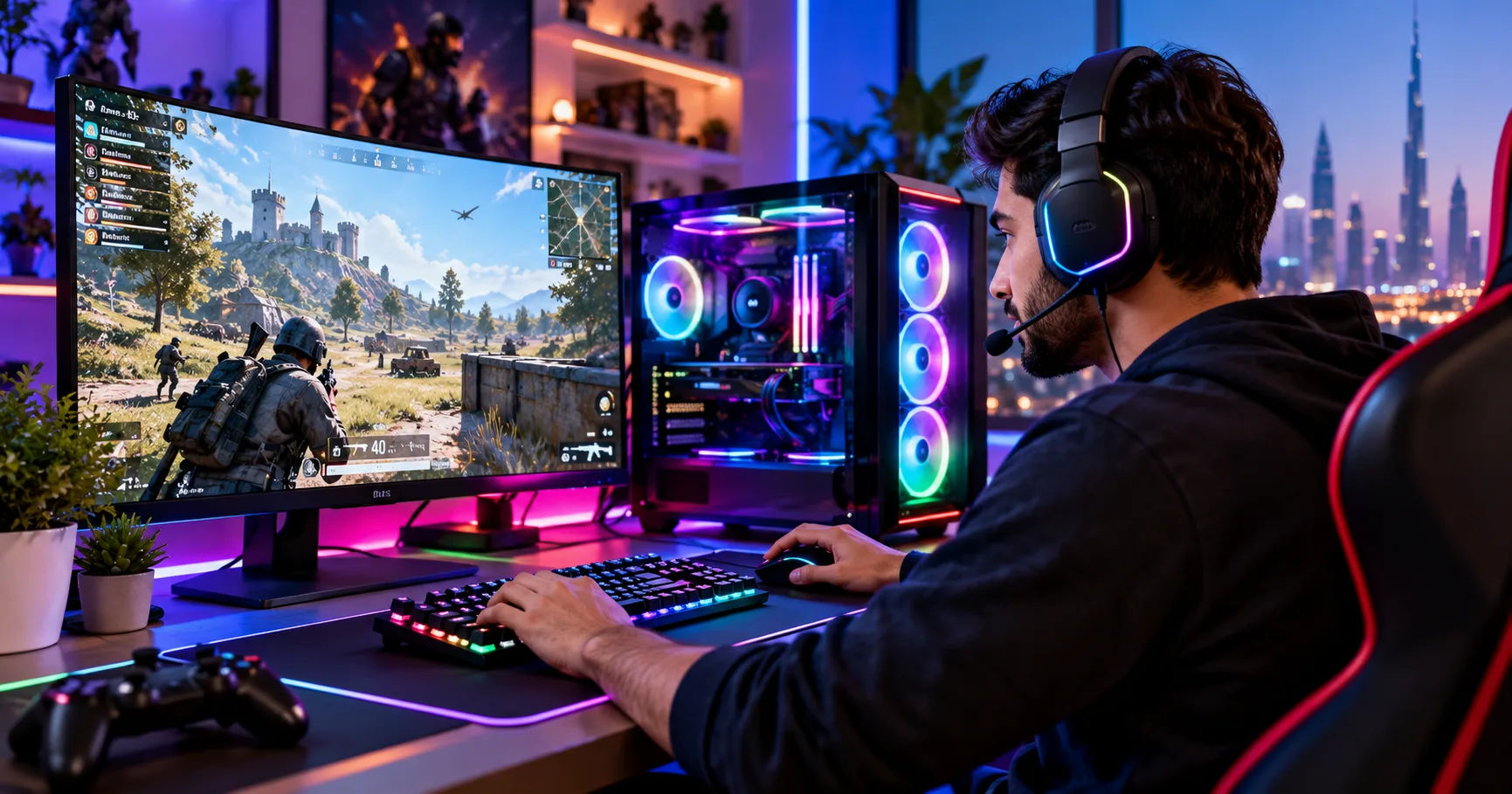 The short answer is yes. A gaming pc 5080 equipped with an NVIDIA GeForce RTX 5080 graphics card supports DLSS, including newer DLSS features designed for the RTX 50 Series. These features can help compatible games run at higher frame rates, improve image reconstruction, and deliver a smoother experience at demanding resolutions such as 1440p and 4K. However, the exact features available depend on the game, driver version, and graphics settings.
Before deciding whether this hardware is right for your gaming setup, it helps to understand how DLSS works, which features the RTX 5080 supports, and how to enable them. The following guide explains these details in straightforward language so you can make the most of your PC.
What Is DLSS and How Does It Work?
DLSS stands for Deep Learning Super Sampling. It is a collection of graphics technologies developed by NVIDIA to improve performance and visual quality in supported games.
Traditional rendering creates each frame at the resolution selected in the game's settings. Rendering at a high resolution requires substantial processing power because the graphics card must calculate and display many pixels.
DLSS changes this process by using AI-assisted techniques to reconstruct images from lower-resolution rendering data. Depending on the feature being used, it can also generate additional frames or improve ray-traced image quality.
How DLSS Improves Performance
Suppose you want to play a game at 4K resolution. Rendering every frame natively at 4K can put considerable pressure on the graphics card, especially when ray tracing is enabled.
With DLSS Super Resolution, the game can render internally at a lower resolution and use AI reconstruction to produce an output at your selected resolution. This reduces the amount of rendering work required for each frame.
The result can be a substantial increase in frame rates while preserving much of the detail players expect from high-resolution gaming.
Why AI Matters in Modern Gaming
DLSS uses trained neural networks and information from the rendering process to reconstruct images. Depending on the implementation, it can use motion vectors, previous frames, and other information to improve the result.
This approach helps preserve details such as edges, textures, and fine patterns. It can also reduce certain visual problems associated with simpler upscaling techniques.
However, DLSS is not identical to native rendering in every situation. Fine details, fast movement, particles, and thin objects may sometimes look different. The quality depends on the game and the selected mode.
Does the RTX 5080 Support DLSS 4?
Yes. The NVIDIA GeForce RTX 5080 supports DLSS 4, including Multi Frame Generation, which is one of the major features introduced with NVIDIA's RTX 50 Series graphics cards. NVIDIA confirmed DLSS 4 support alongside the RTX 5080's launch in January 2025.
A gaming pc 5080 can therefore benefit from advanced AI-powered rendering features that are not available in exactly the same form on older graphics cards.
DLSS Features Available on the RTX 5080
The main DLSS technologies worth understanding include the following.
-
DLSS Super Resolution: Reconstructs higher-resolution images from lower-resolution inputs to improve performance.
-
DLSS Frame Generation: Uses AI to generate additional frames between conventionally rendered frames.
-
DLSS Multi Frame Generation: Available on RTX 50 Series GPUs, this feature can generate multiple additional frames for every traditionally rendered frame.
-
DLSS Ray Reconstruction: Uses AI to improve image quality in games with demanding ray-tracing effects.
-
DLAA: Uses AI-based anti-aliasing at native resolution to improve image quality rather than prioritizing higher frame rates.
These technologies serve different purposes, and supported features vary by game. The RTX 5080 is compatible with the latest DLSS capabilities, but individual titles must support the relevant features natively or through available NVIDIA app overrides.
What Makes DLSS 4 Different?
DLSS 4 introduced transformer-based AI models for Super Resolution, Ray Reconstruction, and DLAA, alongside Multi Frame Generation for RTX 50 Series graphics cards.
The transformer models improve the way the technology processes image information. NVIDIA describes benefits such as improved image stability, reduced ghosting, and better detail during movement.
This is particularly valuable in games with complex lighting, fast movement, and detailed environments.
For example, when playing a visually demanding adventure game, DLSS can help maintain smooth performance while preserving the appearance of buildings, characters, and surrounding landscapes.
How DLSS Benefits 4K Gaming
One of the biggest reasons to choose an RTX 5080 is its ability to handle demanding games at high resolutions. DLSS can make that experience even better.
4K gaming displays 3,840 by 2,160 pixels. That means the graphics card must ultimately produce more than eight million pixels per frame. Rendering every frame natively can be demanding, especially when advanced lighting and ray tracing are enabled.
Higher Frame Rates at 4K
DLSS Super Resolution can improve performance by reducing the internal rendering workload. Instead of rendering the complete image at native 4K resolution, the game renders at a lower internal resolution and reconstructs the output.
A gaming pc 5080 can use this approach to achieve higher frame rates in supported games, making it easier to enjoy demanding titles at 4K.
The improvement varies depending on the game, rendering settings, and internal resolution. Games that are limited by the CPU may benefit less from upscaling than those that place most of their workload on the GPU.
Better Performance With Ray Tracing
Ray tracing simulates how light interacts with surfaces, creating realistic reflections, shadows, and illumination. Although these effects can make games look impressive, they can also reduce frame rates.
DLSS helps offset some of this performance cost.
When supported, Ray Reconstruction can replace traditional ray-tracing denoisers with AI-based processing. This can improve the appearance of reflections, indirect lighting, and other ray-traced effects.
The combination of ray tracing and DLSS can make a gaming pc 5080 especially appealing to players who want detailed visuals without sacrificing as much performance.
Is DLSS Necessary for 4K?
Not always. Some games can run well at native 4K without upscaling, depending on their graphics settings and performance demands.
However, enabling DLSS can provide additional performance headroom. That extra capacity may be useful when you want higher refresh rates, more demanding ray-tracing settings, or a more consistent frame rate.
If native rendering already delivers the performance you want, you can leave DLSS disabled and compare the results.
DLSS Multi Frame Generation
DLSS Multi Frame Generation is one of the most important features associated with the RTX 5080.
Unlike Super Resolution, which reconstructs a higher-resolution image, Multi Frame Generation creates additional frames using AI. This can substantially increase the displayed frame rate in supported games.
How Multi Frame Generation Works
Traditional rendering produces frames through the game's normal graphics pipeline. Frame Generation uses AI to create additional frames between traditionally rendered ones.
Multi Frame Generation extends this process by generating multiple additional frames per rendered frame. NVIDIA's original DLSS 4 implementation supports up to three additional frames per traditionally rendered frame on RTX 50 Series hardware. Later DLSS developments have introduced additional capabilities, so the exact multiplier depends on the software version and available mode.
This can make demanding games appear significantly smoother.
For example, a game that struggles to maintain a high frame rate with intensive graphical settings may display a much higher frame rate when frame generation is enabled. Actual results depend on the game's native performance and the selected settings.
Does Frame Generation Improve Input Response?
There is an important difference between a higher displayed frame rate and faster input response.
Generated frames improve visual smoothness, but they do not replace the responsiveness of traditionally rendered frames. If a game runs at a low base frame rate, frame generation may make movement look smoother without making controls feel equally responsive.
NVIDIA Reflex can help reduce system latency in supported games. When using frame generation, it is worth enabling Reflex if the game recommends or offers it.
For competitive shooters, a high native frame rate and low latency may matter more than the highest possible generated frame rate.
For single-player games, cinematic adventures, and visually demanding titles, Multi Frame Generation can be particularly useful.
How to Enable DLSS on a Gaming PC 5080
Enabling DLSS is generally straightforward, although the exact menu options depend on the game.
Step 1: Update Your Graphics Drivers
Install a current, compatible NVIDIA GeForce Game Ready Driver. You can update drivers through the NVIDIA app or download them from NVIDIA's official website.
Keeping drivers updated helps ensure compatibility with new games, graphics improvements, and supported DLSS features.
Step 2: Open a Supported Game
Launch a game that includes NVIDIA DLSS support. Not every game offers DLSS, so check the game's graphics settings or the official NVIDIA RTX games list if you are unsure.
Step 3: Find the Graphics Settings
Open the game's settings menu and look under sections such as Graphics, Display, or Advanced Graphics.
Depending on the game, you may find options for DLSS Super Resolution, Frame Generation, Ray Reconstruction, or NVIDIA Reflex.
Step 4: Select a DLSS Mode
Super Resolution commonly provides several quality modes.
-
Quality: Prioritizes image quality while offering a performance improvement.
-
Balanced: Attempts to balance image quality and performance.
-
Performance: Prioritizes higher frame rates by using a lower internal rendering resolution.
-
Ultra Performance: Uses a more aggressive upscaling approach for particularly demanding workloads where supported.
The exact names and available options vary by title.
For 4K gaming, Quality is a sensible starting point. If performance remains below your target, try Balanced or Performance and compare the results.
Step 5: Enable Frame Generation if Available
If the game supports Frame Generation, enable it to test the additional smoothness it provides.
For RTX 5080 owners, supported games may also offer Multi Frame Generation. In compatible titles, you may be able to adjust the frame-generation multiplier.
If the game does not provide the desired option, check whether a compatible DLSS override is available in the NVIDIA app. Overrides require supported titles, appropriate drivers, and the relevant in-game feature to be enabled.
Best DLSS Settings for Different Gaming Styles
The best settings depend on your display, the game you play, and whether you value visual quality or responsiveness most.
|
Gaming situation |
Suggested starting point |
|---|---|
|
4K single-player games |
DLSS Quality |
|
Demanding 4K ray tracing |
DLSS Quality or Balanced with supported Ray Reconstruction |
|
High-refresh-rate gaming |
DLSS Balanced or Quality, depending on performance |
|
Competitive shooters |
Prioritize native frame rate and low latency |
|
Visually demanding games with low performance |
Consider Performance mode |
|
Games already running smoothly at native resolution |
Compare native rendering with DLSS Quality |
These are starting points rather than guaranteed optimal settings.
A gaming pc 5080 has substantial graphics capabilities, but individual games place different demands on the hardware. Experimenting with settings is the most reliable way to find the balance that suits your system.
Should You Always Enable Multi Frame Generation?
No. Multi Frame Generation is useful when you want smoother visuals, but it is not automatically the best choice for every game.
If a game already runs at a very high native frame rate, you may prefer to disable it. Generated frames also require processing resources, and the experience can vary depending on the game's implementation.
For slower-paced games, it can make movement and camera transitions appear smoother. For competitive games, compare input responsiveness as well as the displayed frame rate before deciding.
Does DLSS Reduce Image Quality?
DLSS aims to improve performance while maintaining high image quality, but its results are not identical in every game.
Because Super Resolution reconstructs an image from lower-resolution inputs, some details may differ from those produced by native rendering.
Potential issues include:
-
Fine details appearing softer in certain scenes.
-
Ghosting around moving objects.
-
Flickering or instability in thin patterns.
-
Differences in foliage, particles, or rapidly moving objects.
Modern DLSS models are designed to reduce these problems, but they cannot eliminate every visual artifact in every situation.
How to Maintain Good Visual Quality
Start with Quality mode and compare the image against native rendering. Look at moving objects, distant details, hair, foliage, and fine textures rather than examining only a static screenshot.
If you notice excessive softness or artifacts, try a different mode or disable DLSS for comparison.
A gaming pc 5080 gives you the flexibility to experiment with these options without relying on one universal configuration.
Also, remember that a higher displayed frame rate does not necessarily mean the image is more accurate. Choose settings that provide both acceptable visual quality and the responsiveness you need.
What Else Do You Need for the Best DLSS Experience?
The graphics card is important, but the complete system also affects gaming performance.
A Capable Processor
A fast processor helps prepare game logic, physics, and draw calls for the GPU. If the CPU becomes the limiting factor, increasing GPU performance through DLSS may produce smaller improvements.
Pairing an RTX 5080 with a suitable modern processor can help maintain a balanced system.
Sufficient Memory and Storage
Adequate system memory helps modern games run smoothly, particularly when multitasking or playing large open-world titles.
A fast solid-state drive can improve loading times and reduce delays when game assets are being loaded. It does not directly guarantee higher DLSS frame rates, but it contributes to a better overall experience.
A Suitable Monitor
A high-resolution or high-refresh-rate monitor allows you to appreciate the benefits of improved rendering performance.
For 4K gaming, consider whether you prefer sharper resolution, a higher refresh rate, or a balance between the two. Ensure the monitor supports the resolution and refresh rate you want to use.
The monitor also affects whether higher frame rates provide a noticeable benefit. A display with a 60Hz refresh rate cannot show every frame of a 200 FPS output in the same way that a high-refresh-rate monitor can.
Conclusion
Yes, the NVIDIA GeForce RTX 5080 supports DLSS, including DLSS 4 features and Multi Frame Generation designed for RTX 50 Series graphics cards. This makes it a strong option for gamers who want to combine high-resolution visuals with improved performance in compatible games.
DLSS Super Resolution can increase frame rates by reconstructing higher-resolution images from lower-resolution inputs. Ray Reconstruction can improve the presentation of ray-traced scenes, while Frame Generation and Multi Frame Generation can make supported games appear smoother by creating additional frames.
For most 4K players, starting with DLSS Quality is a sensible approach. If a game requires more performance, Balanced or Performance modes may help. Frame Generation is worth testing in supported titles, especially when smooth visuals are a priority, but competitive players should also consider input latency and native frame rates.
A gaming pc 5080 can make excellent use of these technologies, but the best results depend on the game, graphics settings, drivers, processor, and monitor. Keep your software updated, compare different DLSS modes, and choose settings based on your own priorities.
Ultimately, DLSS is more than a simple graphics option. It is a collection of technologies that helps modern RTX hardware deliver a more flexible gaming experience, allowing players to balance visual quality, smoothness, and performance according to their needs.